 Traveler bloggers tend to go crazy with plugins, those little add-ons to WordPress, when first setting up their blogs. Plugins are easy to install and there are thousands of them out there. It can be difficult to choose which ones are worth the installation and hassle of configuration. These are some of my recommended plugins for your travel blog and why.
- All In One SEO Pack – A highly configurable plugin designed to tweak your website, pages, and individual posts for search engine optimization (SEO). If you aren’t running this plugin and Google PageRank and traffic numbers are important to you, it’s an essential add-on. To further improve your site’s SEO optimization, change your permalinks. (Download All In One SEO Pack)
- Google Analytics – There are many WordPress plugins designed to give you a variety of statistics about your readers but in my experience Google does it the best. You’ll need a Google Analytics account setup for this plugin to work, and it removes the need for you to tweak any code. If you’re obsessed with statistics, you can also try the Popularity Contest plugin. (Download Google Analytics)
- Google XML Sitemaps – Creates an XML-sitemap compliant sitemap which makes it easier for Google, Yahoo, and Bing to ‘read’ your entire blog. It updates automatically and submits the sitemaps to each search engine for you. (Download Google XML Sitemaps)
 Login Lockdown – By default it locks out any IP address from where 3 bad login attempts are tried within 15 minutes. The lockout lasts 1 hour and makes it much more difficult for someone to try and ‘brute force’ your blog password. Use this plugin as one of the ways to keep your travel blog safe. (Download Login Lockdown)
- Maintenance Mode – This plugin creates a nice little ‘Under Construction’ page for your site when you need to take it down for an update or make some coding changes to your blog. It’s very customizable and easy to use. (Download Maintenance Mode)
- Spam Karma – Although it’s no longer officially supported, this spam filter adapts and learns based on each comment and those you flag. It can be set for a number of levels to be more or less skeptical depending on the volume of comment spam you get. (Download Spam Karma)
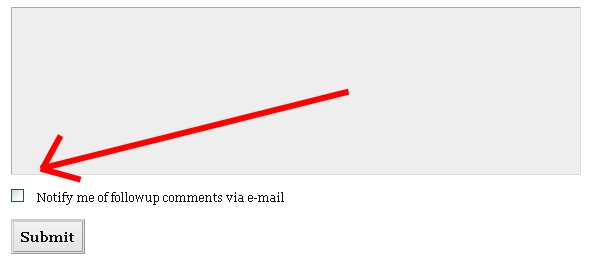 Subscribe To Comments – One of my favorite plugins, it emails people who leave a comment of any follow up comments. It’s a great way to generate discussion and comments on your travel blog since most people who leave a comment don’t come back to look for replies. (Download Subscribe To Comments)
- TinyMCE Advanced – Adds a number of icons to your post editing screen that were lost a few WordPress updates ago. It makes it easier to insert video, adjust pictures, and change font sizes. (Download TinyMCE)
- Whydowork Adsense – If you use Google’s Adsense to make some money with your travel blog, this plugin makes it easier to put ads within posts. You can even configure it to show ads X number of days after a post is published or in random spots. (Download Whydowork Adsense)
 WP-ContactForm – I’ve been coming across a number of travel blogs lately where getting in touch with the author has been difficult. Even though you’re on Twitter or Facebook, email is still the most common way people will want to get in touch with you. Use WP-ContactForm to create a contact page like this and place the ‘Contact page’ somewhere visible on your travel blog. It also comes with a built-in spam filter. (Download WP-ContactForm)
- WP-DBManager – Although WordPress comes with a built in database backup utility, this plugin lets you create backups at intervals of your choice and can be configured to automatically optimize your database every month. Extremely versitile and yet another good way to backup your blog database. (Download WP-DBManager)
- Yet Another Related Posts Plugin (YARPP) – Adds a number of related posts to the bottom of each post and in your RSS feed. (Download YARPP)
- Yoast Breadcrumbs – Allows search engines and readers to more easily navigate your site. (Download Yoast Breadcrumbs)
There are a number of other plugins that I use across my blogs but are specific to certain functions wouldn’t apply to many of you. One thing you should do as your blog grows is monitor the plugins you install, keep them updated, and deactivate any you stop using. Running plugins takes resources and can each one can slightly slowdown the loading time of your blog pages. Use the ones you need and do some spring cleaning on the others.
I’d be very interested to hear from you – what are your favorite WordPress plugins and what do they do? Are you using any from this list above? Feel free to leave your recommendations in the comments and subscribe to them as well.
[photos by: Craig A Rodway (legos), Bill Gracey (padlock), bengrey (kid emailing)]


Nice list Anil, thanks!
Cheers,
Greg
Thanks Greg 🙂
Nice list Anil. I also like:
AStickyPostOrderER – arrange the order of posts as they appear on your home page or within a category or archive.
SEO Smart Links – links words within a post to a preset post or page. Crosslinking is good!
Photo Dropper – handy if you want to use Flickr Creative Commons photos in your posts.
WP Super Cache – serves readers cached pages. Good if you’ve had trouble with slow loading pages. (Especially important now that Google is using page speed as one of its metrics.)
WPtouch iPhone – serves a iPhone friendly page to readers using their smart phone. Good if you’re targeting a mobile audience with your blog.
David
David, awesome additions, I didn’t know about SEO Smart Links. I’ll be sure to check it out.
Thanks a million, Anil!! I saw a few that I wasn’t using and have promptly added them.
Anytime Erica, glad to hear there were a few new ones here for you 🙂
I’m using most of these and have been known to use way too many plugins at times. I’ve recently scaled back, using code where possible. From the must-have list, there is Bad Behavior, Akismet, NextGen Gallery, Redirection and more recently WPtouch iPhone Theme (a plugin, not a theme) for making my website iPhone/mobile friendly.
How many plugins do you use in total, if you don’t mind me asking? 🙂
Depending on each site but on Travel Blog Advice it’s 17 plugins and on foxnomad it’s 30 (yikes!)
This will make you feel better. I’m using 40 on Gourmantic, with another 4 inactive which I use when required. But definitely less plugins on other sites. I’d love to reduce the number but this geek can’t live without some of them!
The same here! Every time I cut a few out, I add a few more just days later…so many great plugins, it’s a tough cycle to break!
All good plugins mate and its good to know I use most of them already. Spam karma really is a beast in dealing with spam.
I love it too. Does a pretty good job of picking up on spam although I do have to bump up it’s level from time to time.
These are the ones that many travel bloggers would often forget. One thing to keep in mind with these is that they will greatly help you in getting your information out to your readers.
Thanks for pointing that out – yes, just noticed that many of these are behind the scenes plugins that do important work that isn’t necessarily obvious from the homepage.
Wow, thanks for the list. Comforting to know I’m half way on that list. Will check the rest out. Of the comments, the SEO smart links sounds like it would be good too.
It certainly saves time in new posts but especially with cross-linking in posts you’ve already written.